snowsky echo nano review


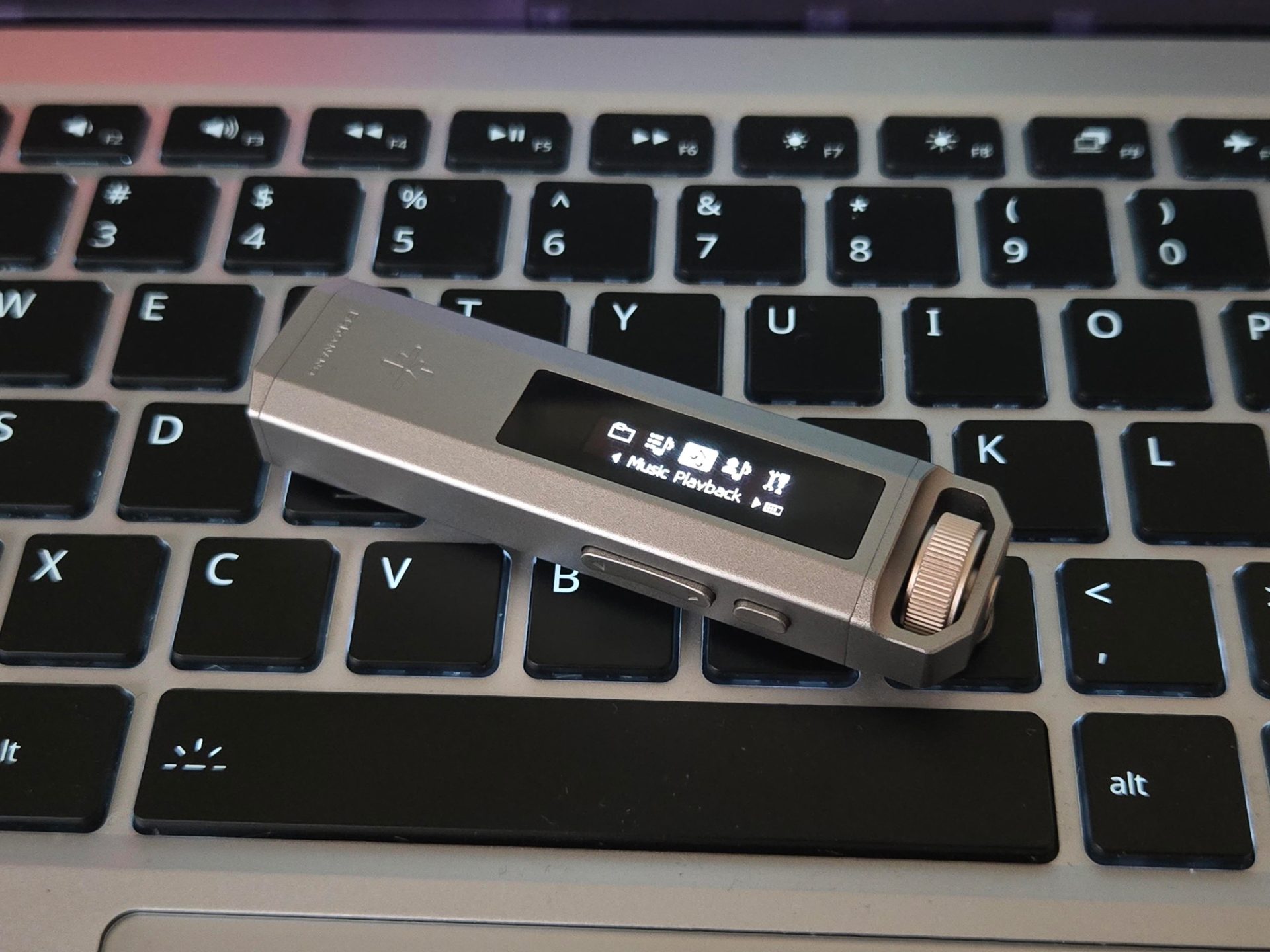
i recently got a new music player and i've been liking it overall. it's such a cute size and seems to work pretty well for things i've thrown at it—minus a few issues i've ran into using it.
TLDR; it's a good player with some weird software quirks and controls that take a bit to get used to, but it's in a form factor that basically doesn't exist nowadays in new devices. if you want more modding potential, then go with an ipod classic, but for the person who just wants a tiny device that's not a phone to listen to music with, it's not bad. there are probably better options—especially for the price—but this is my first dedicated audio player that i've owned and i like it for what it is. make sure to re-encode flacs you put on there and make sure the paths aren't long and the software shouldn't give you too much trouble.
hardware
it's so small and cute, it's approximately 3 sauces tall and 1 sauce wide—in normal terms, it's 81 x 20 x 11 mm or 3.19 x 0.79 x 0.43 inches. the buttons feel good to ok to press, a couple of them feel mushy to me, but the knob wheel and click feel great. it's like a nice metal mouse scroll wheel with satisfying notches in it. i wish it had a clip for your shirt or something, but there is a place for running some string through it.

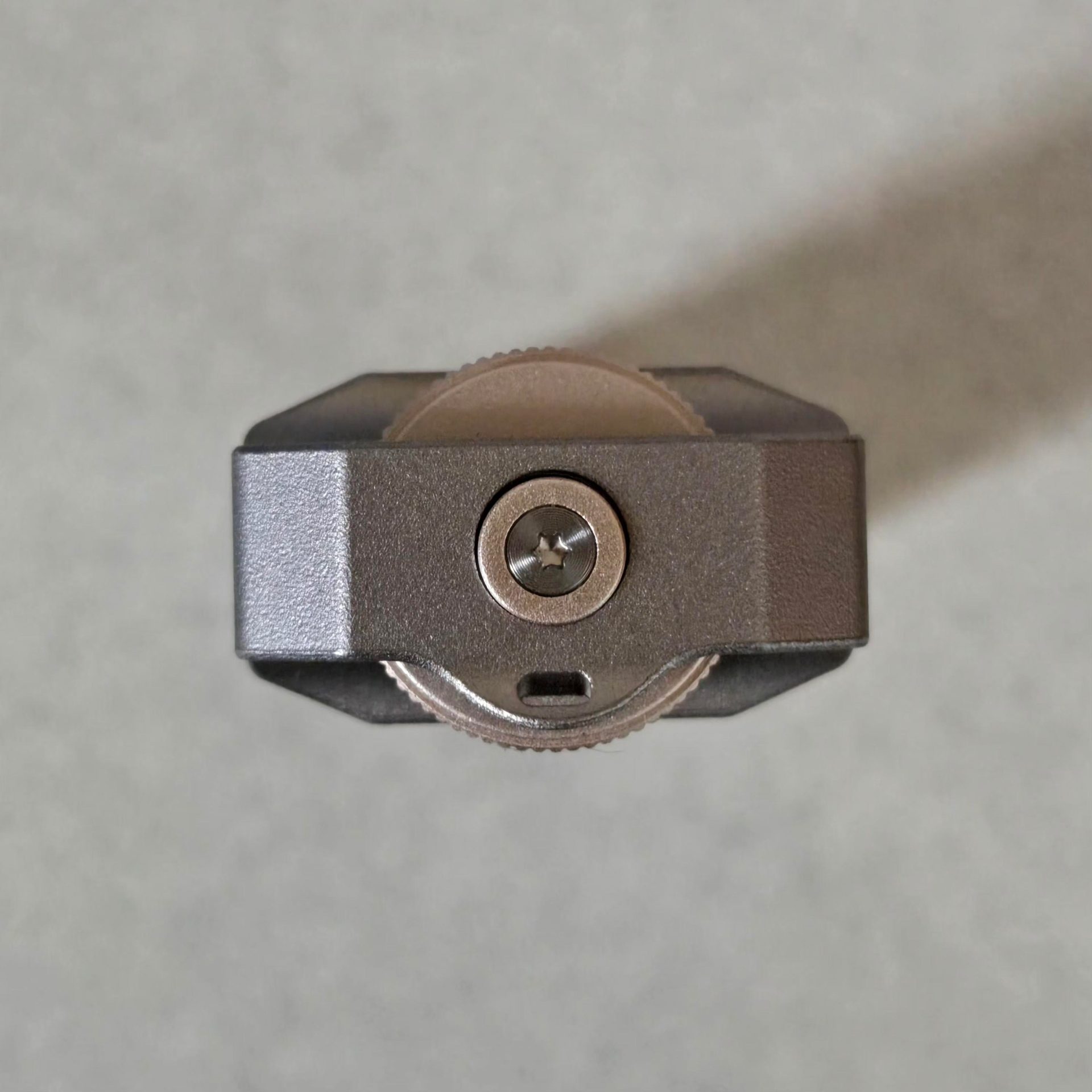
on the bottom there is a single 3.5 mm jack. i wish they could've fit in a 4.4 mm one as well (so you could get balanced audio out) but with how small it is it's hard to complain.
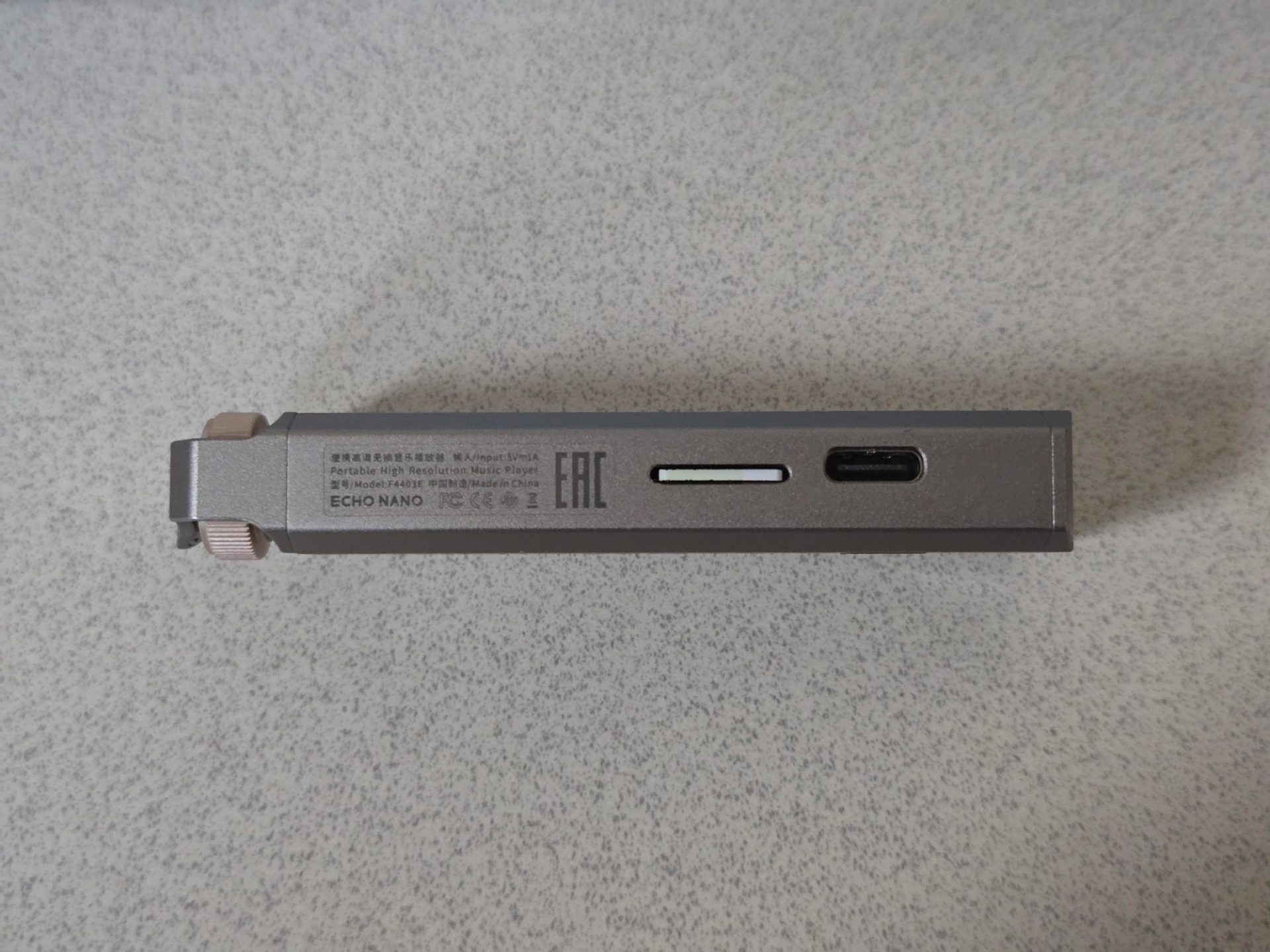
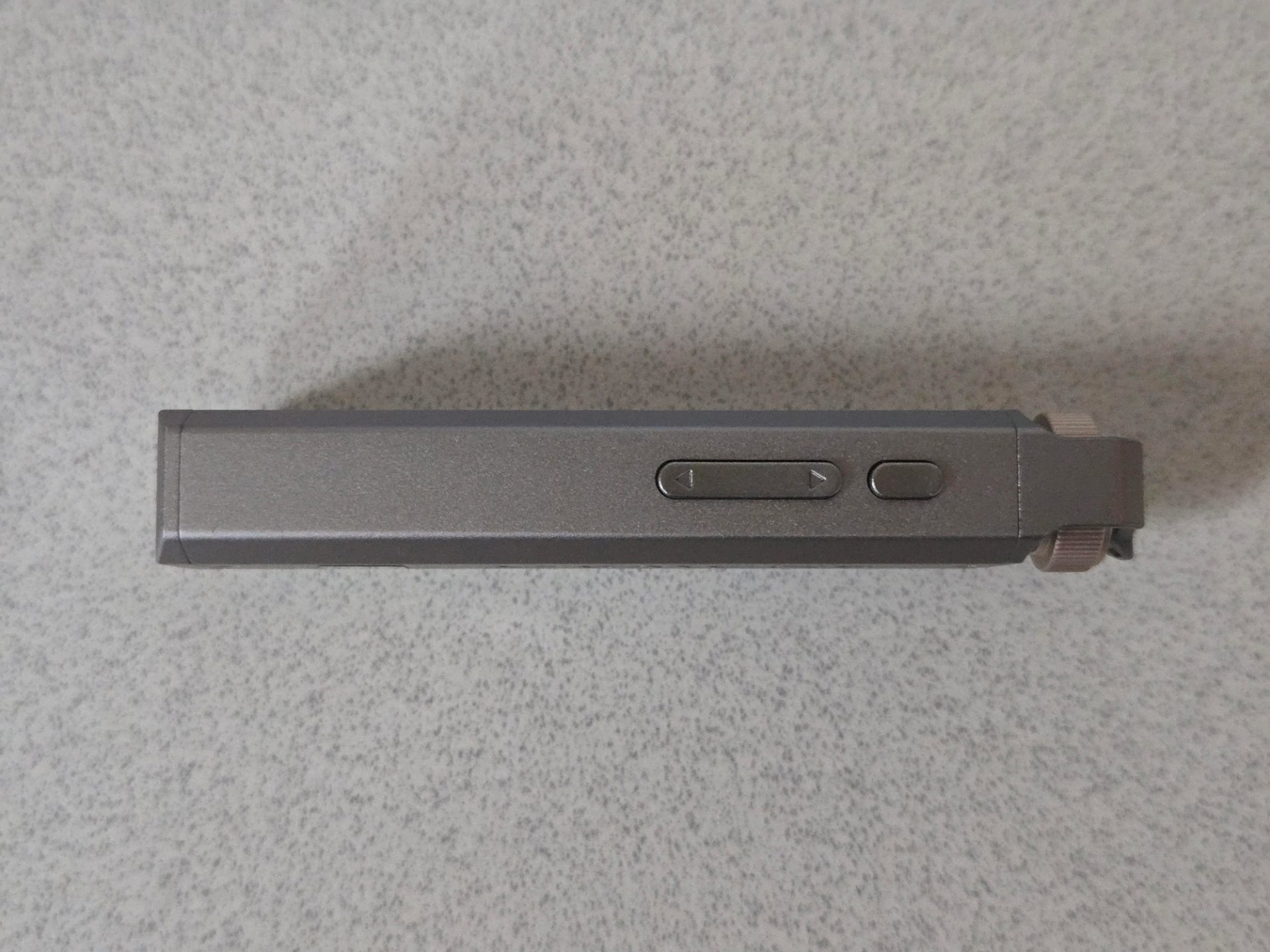
on the left side there's a power port and micro sd card slot and on the other are the 3 out of the 4 buttons on this. the micro sd card on mine sticks out just the tinyist bit which makes me weary but it hasn't fallen out at all—it uses a spring loaded slot. the usb-c port is off center but that's whatever.


controls
the controls were a little difficult to get at first but now it's pretty intuitive. the ones i've discovered right now are:
button | action |
|---|---|
left | previous entry/track |
2x left | favorite song |
hold left | rewind |
right | next entry/track |
2x right (in player ui) | switch display mode |
hold right | fast forward |
side button | select/confirm |
side button (in player ui) | play/pause |
2x side button | open audio settings |
hold side button | return to previous menu |
knob click | toggle screen on/off |
2x knob click | hold setting |
knob wheel | next/previous entry |
knob wheel (in player ui) | volume up/down |
firmware
i've had some weird behavior with some songs just not reading correctly, sometimes they'll have static in my left with an incorrect tune in the right ear, sometimes it crashes the player, and sometimes it's just the wrong song entirely? i'm not sure if this is an issue with my exact micro sd card or not or with the way i'm copying things over or some secret 3rd thing, but it's definitely finicky.
looking at the files themselves, they all seem to be fine. i'm not copying over cover.jpg or album.nfo but even then bugs where it just plays the incorrect song entirely are really weird. same for the bugs where the song appears to be "corrupted", but upon inspecting the sha256 hash of the file, it matches...
i got mine with firmware 1.2.0 and the newest one at the time of writing is firmware 1.4.0, but you can't directly upgrade 2 versions. in order to go from 1.2.0 to 1.4.0, you have to install 1.3.0 first, then go to 1.4.0. they don't say this in the readme included, but maybe it's just an issue with 1.2.0 → 1.4.0? i hope me writing this down here will help someone in the future.
updating is pretty nice though, you just drag and drop an update .img file into the root of the on-device flash and then restart it. i do wish they told you that you can only upgrade to the next version after your current one but that's whatever.
custom firmware?
maybe in the future i can throw sol at it and see what can easily be added. i assume that things like adding playlists wouldn't be too hard since the scaffolding from favorites is already there. i'm not sure what you would want to add into this though. maybe more formats like .opus, but i assume that those are hardware accelerated in some way. it could also be neat to have remappable controls, a functional flac decoder, more visualizers, etc. some type of thing like the IronOS project.
getting music on the thing
i've never had a music player like this except an ipod touch 4G when i was young and that i did not play music on. i thought i was going to need some kind of special software to put music on it, but nope! it just exposes a file system when you plug it in.
the device itself only has 256MB of storage, which might be enough to test it out with an album or 2 in flacs—you definitely want a micro sd card if you're going to use this however. i'm using a 64GB one and it seems to hold a good chunk of songs. everything i've put on there is lossless and personally i wouldn't need more than this in terms of music. if i really wanted to save space i'd probably use that fancy new ffmpeg nmr encoder or just use the apple toolkit one if you have a mac. i'd probably do AAC 256kbps or higher. the max capacity micro sd card you can put in here is 256GB. it feels like this is a controller limitation—not something that can be updated in firmware later—this shouldn't affect most people, unless you have a massive library (like me!), but just trim to the stuff you actually listen to and you'll be fine.
my way of copying music over is just a rclone, but you can just move what you want over. i do it this way since rclone has nice semantics for cloning i.e. you can make a target directory look exactly like the source. on my server where i store all of my music, i manage it all with beets so it's relatively easy to make sure i already have correct metadata. i'm not sure how picky the echo nano is about folder structure, but mine is:
<Artist Name>/<Album Name>/<Track Number at fixed point of 2> <Track Name>
beets also allows you to put tags on specific media, so i put the tag player on all of the things i want to copy over, then my script queries beet ls tag:player and then puts that as the input rclone list.
i've had a few issues with this though, some files don't play correctly and i'm pretty sure this is a decoder bug and it's handling with metadata/path length. paths can only be 128 bytes in length—which is stupidly low—and i ran into issues where i had paths like:
Ada Rook/UNKILLABLE ANGEL/01 cortisol_inside cortisol_explosion excessive_cortisol cortisol_everywhere.flac

D-CELL SOUND TEAM/unbeatable [ost]/60 - Ş̸̫̬̞͇̪̖̭̞̯̗̖͐̀ͅW̷̢̛͍̠̤̜͉̺̟̥͕͐́͒̿̔̕͘͘I̶͇̘̯̍̽͘N̵̢̨̨̬̘̞͎͔̈́̈́͊̏̒̿̎̕͜͝͝ͅG̵̯̰̺͉̓͆͆̓͂̌̌̓̔͜ͅ.̶̯̩̖̩̫̲̥̘̜̼͔͔́͝͝ͅ.flac
which were above this limit. you can just rename them to be overall shorter, or honestly just copy all songs to the root of the filesystem.
there were also some issues i had with good flacs straight from bandcamp failing to decode due to i think the first frame being weirdly defined or something? it seems others online have ran into this issue and the solution seems to be re-encoding the flac and maybe stripping some metadata along with that.
when selecting a song, going through the list will load just the title of the file and not the name in the metadata itself, so for albums you have to make sure that you have the track number in order for sorting to function correctly.
it's disappointing that the echo nano doesn't have support for .opus, because it's probably the best lossless encoding right now. maybe it could be added later with new firmware...
favorites
you can only favorite songs and can't favorite like artists or specific albums. this is kinda fine since it's not too hard to just know what albums you like but it's still a miss in my eyes. i don't get why favorites are per-song only.
something that i've noticed is that every time you load new music on it or make it do a refresh, you lose all of your favorites. supposedly this is fixed in later firmwares, but if this is an issue now than i wouldn't depend on them staying in future updates and such.
playlists
speaking of favorites, there's zero playlist functionality on here. i suppose this is supposed to be the minimalist option in snowsky's lineup, but the exclusion is very strange (looked into this: it also appears that the echo mini also doesn't have playlists. might be a trend of snowsky idk). i don't find myself making playlists too often—normally i just have a bunch of liked songs that i press shuffle play on—but if you are one of those people that has like 10 playlists for each mood, this is not the player for you.
playing music
it sounds pretty nice and the controls aren't that limiting once you're actually playing. while playing, you get a cute little ui with a couple different display modes you can swap through using the double click right gesture:

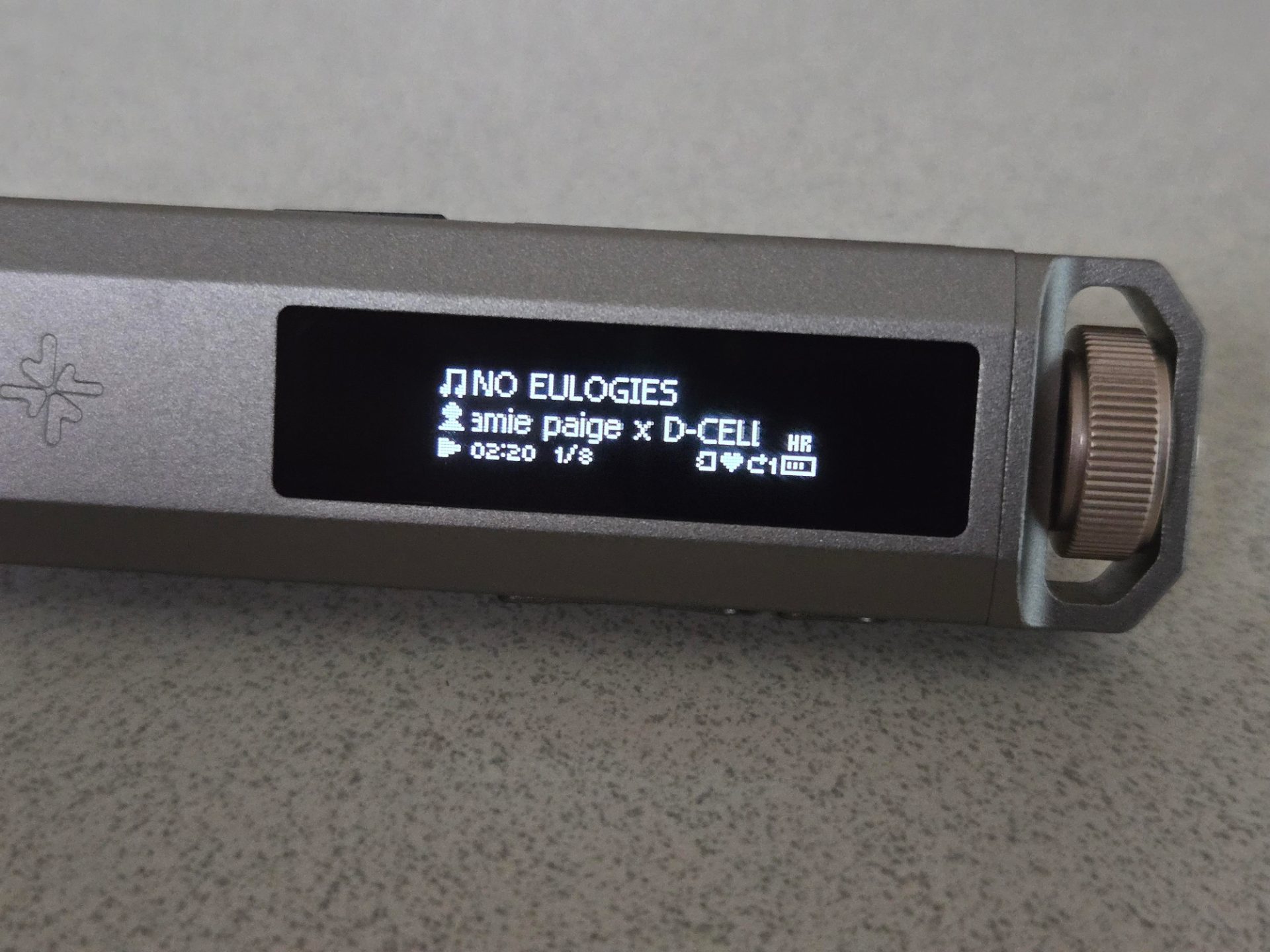

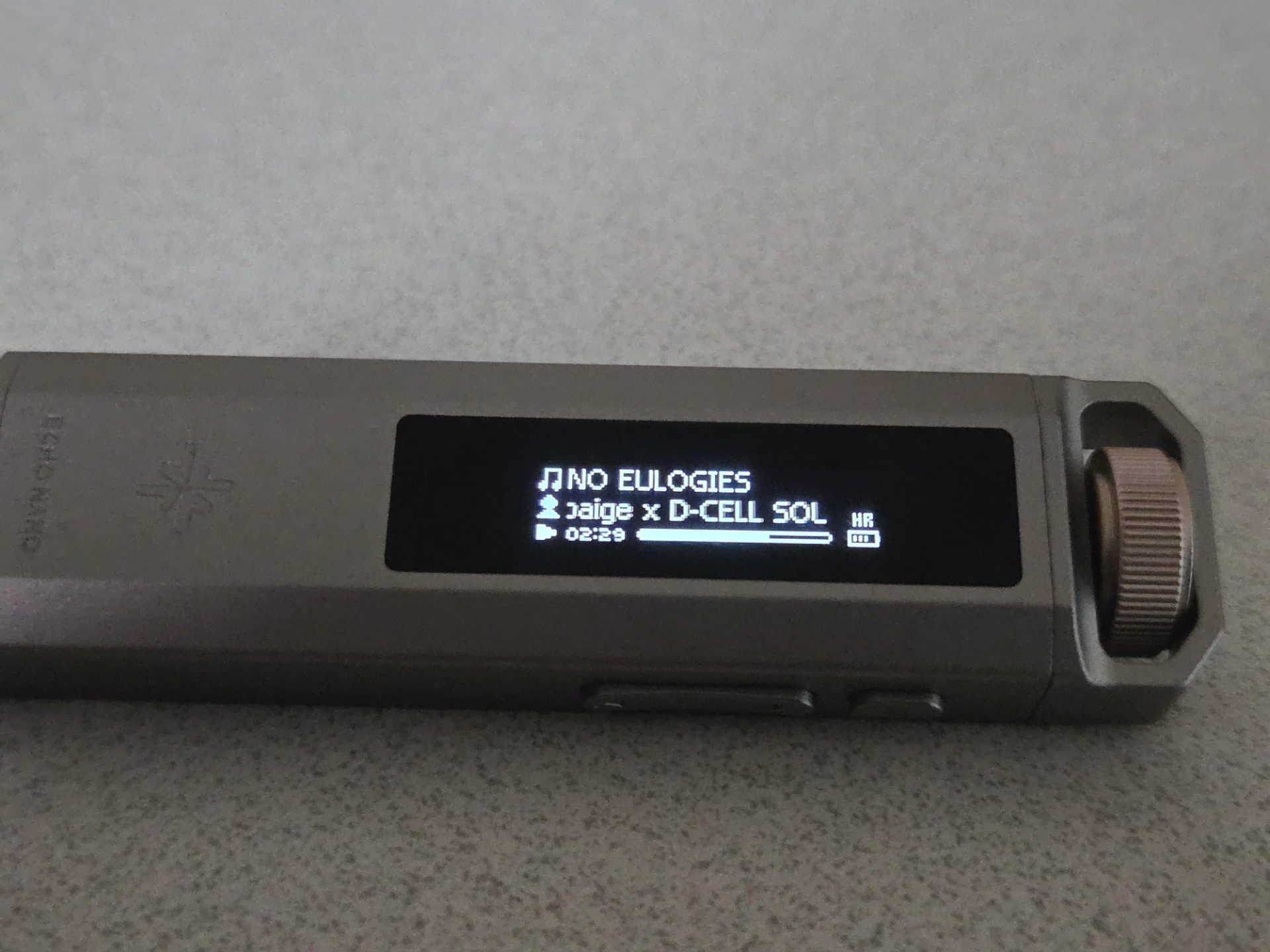

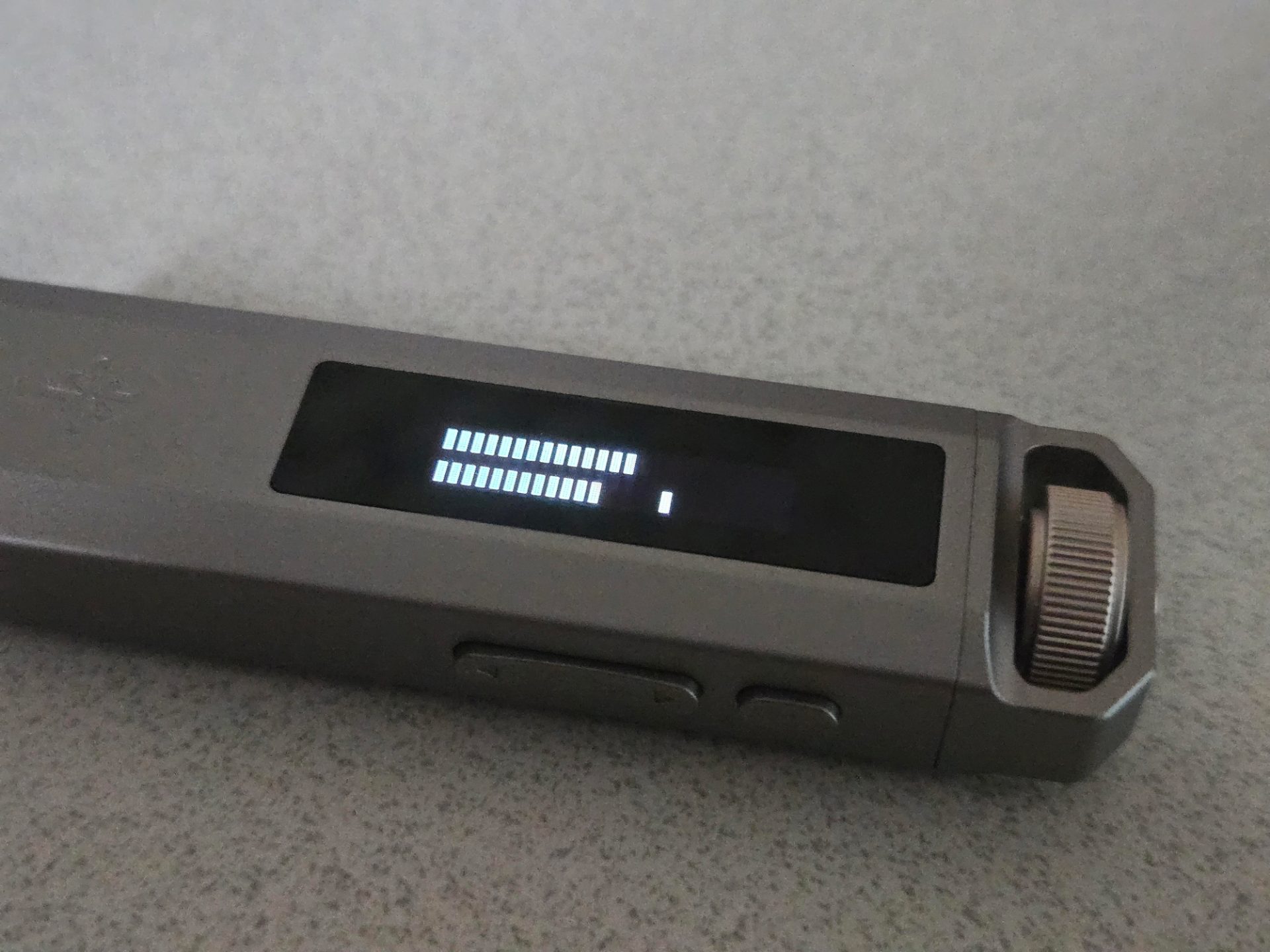
there are a few audio settings like looping, an equalizer, filters, channel balance, etc. imo the amount of options is a bit much and i find it strange that looping behavior isn't accessible from the main player ui from some simple button combo without having to go into a menu. they really limited themselves with only having 4 buttons and a knob and i think it would be a lot nicer if they had just one extra button. maybe some kind of "macro button" where you get to navigate yourself to any menu or toggle any option you want? could be something you can do with custom firmware and making some kind of triple click gesture on the knob or some chorded gesture (like confirm + knob click? who knows).
usb DAC mode
a neat feature of this is that it can act as a DAC for your phone or laptop. there are 3 modes for this:
- mobile mode [default]: will use it's own battery and doesn't charge while connected
- computer mode: completely powered off of the port, doesn't charge
- normal mode: charges the battery alongside getting power from the port
i think it's relatively obvious what you might want to use these for, but it's mobile mode for if you use it with your phone or your computer for short periods and normal mode otherwise—don't use computer mode. why would you buy a music player to only use it on your desk as a DAC...
something i do wish that DAC mode had was the ability to do music management while it's being used. this isn't that big of a deal since you can just take out the micro sd card and do it externally, but it's worth keeping in mind at least.
i hope that you liked my first real blog post! please contact me if there's anything i missed that you want answered about this thing, i wrote most of this in a frenzy a few days after getting it so hopefully i answered ~90% of those questions already. i hope you have a nice day and that you see many beautiful things ❀